


VirtIO drivers on Windows
Injects the VirtIO drivers before the first boot, including the switch to the SCSI controller that Windows does not recognize on its own.

From VMware to Proxmox VE
MultiPortal Migrator moves your virtual machines from VMware to Proxmox VE while they keep working: it copies the disks, keeps the changes in sync and switches over when you decide. We supply it, as Proxmox Gold Partner #1 in Italy.
License per VM, paid once · The first 5 VMs are free
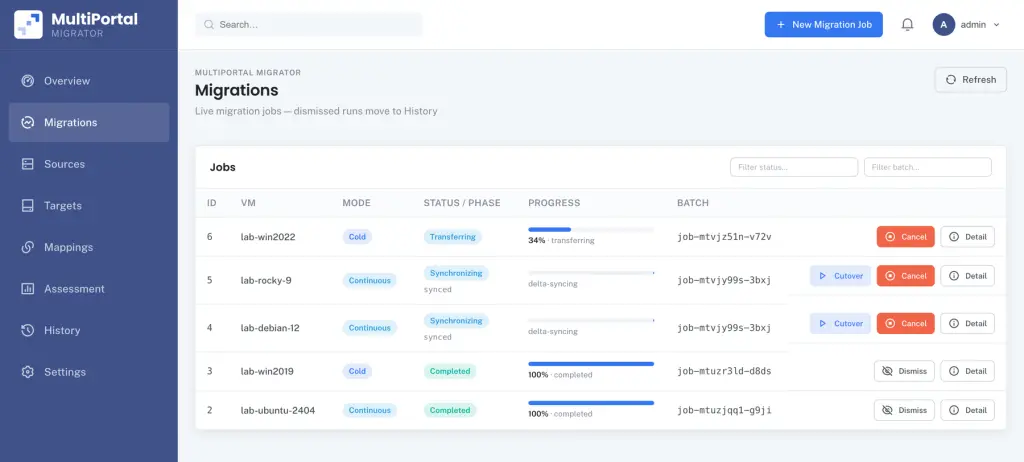
of cutover for a Debian 12 VM with a 40 GB disk, in the vendor's test
transferred in total for that disk: after the first copy, only the changed blocks travel
parallel migrations from a single appliance, according to the MultiPortal Migrator price list
MultiPortal price list
Move the slider to the number of VMware VMs you need to migrate. You pay once per VM, in progressive tiers: the first 5 are free and every following tier costs less per VM.
What counts is the number of VMware VMs to move, as read from vCenter: sockets, cores and the size of the Proxmox cluster do not affect the price.
Average price per paid VM
€27.00 VAT excl.
MultiPortal price list in euros, VAT excluded: paid once in advance, license valid for 12 months, and migrating the same VM again costs nothing. Rackone's reserved pricing is applied in the quote. Above 100,000 VMs the price is agreed case by case.
Beyond copying the disks
Moving a VM from VMware to Proxmox means more than copying a disk: the virtual hardware under the operating system changes, and every forgotten detail is a machine that fails to boot. Migrator automates the steps you would otherwise repeat by hand for every VM.
Injects the VirtIO drivers before the first boot, including the switch to the SCSI controller that Windows does not recognize on its own.
Moves the disks from the default SATA controller to VirtIO SCSI, without the manual detour through Windows recovery mode.
Reconfigures the network adapters of every VM: static addresses survive the hardware change, and there is no need to open the console.
Installs the QEMU guest agent and removes VMware Tools, which have nothing left to talk to on Proxmox VE.
Recognizes the operating system of every VM and applies the right preparation at cutover, even in a mixed batch.
Verifies the environment before the migration and tells you at the planning stage whether the target storage supports the low-downtime modes.
How it works
The Migrator appliance connects to VMware and to Proxmox VE and orchestrates every step. The source machine is not touched until the cutover.
One console
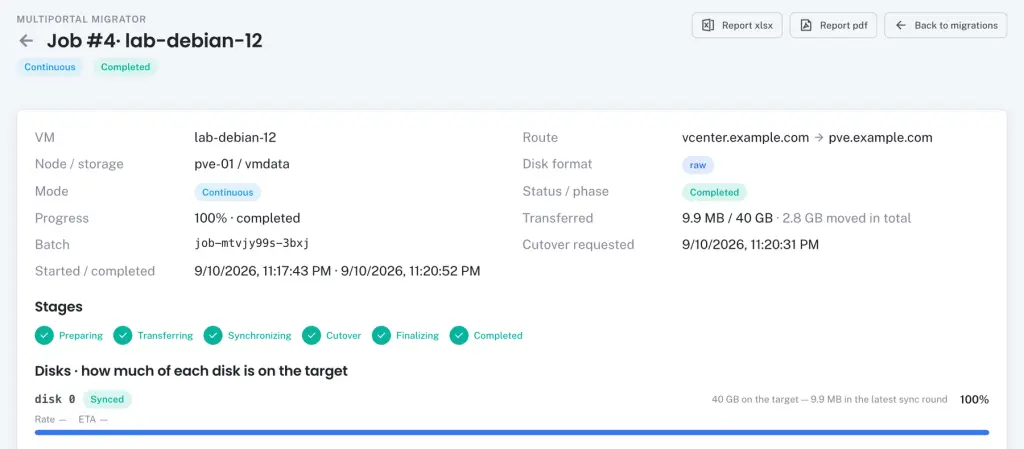
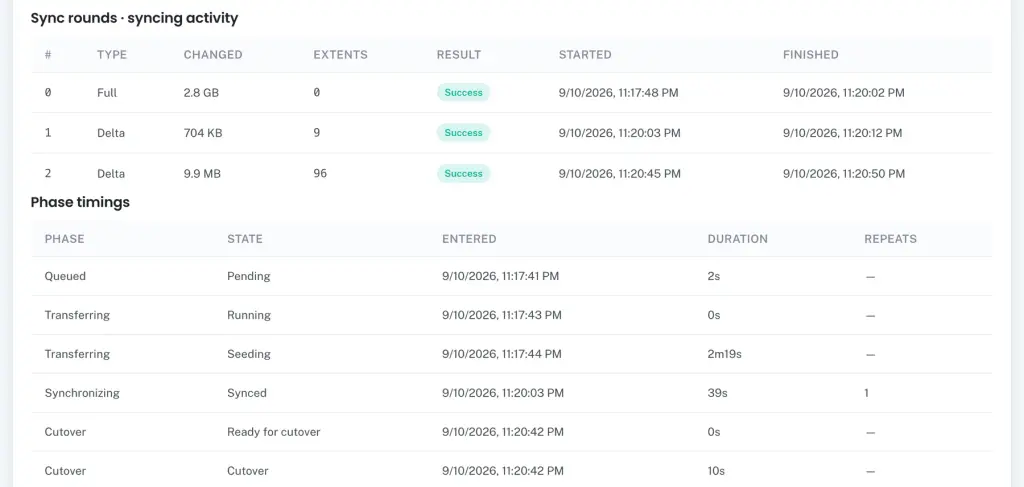
Every VM is a job with its own status: preparation, transfer, synchronization, cutover. You see how much of each disk is already on Proxmox, when it started and when it finished, and you download the migration report in Excel or PDF.
Parallelism as stated by MultiPortal in the Migrator price list.
Three ways to copy
You choose the mode VM by VM: it changes how long the machine stays off and what the environment needs.
Source: MultiPortal Migrator documentation. VDDK is the VMware library that reads the disks: Broadcom restricts its distribution, so you download it from the Broadcom portal and upload it to the appliance. Without VDDK, cold migration still works.
Continuous replication
With VMware changed block tracking, after the first copy Migrator sends only the modified blocks to Proxmox, in cycles, until you start the cutover: even for days, if you need to. The result is a near-live migration from vSphere to Proxmox VE. In the vendor's test, a Debian 12 VM with a 40 GB disk transferred 2.8 GB in total, and the cutover took 10 seconds.
Security and rollback
The VMware VM keeps working, unchanged, until you start the cutover: that is the first moment Migrator touches it.
If something fails after the source is shut down, the VM on Proxmox is discarded and the VMware VM is powered back on: you are never left halfway between two machines.
After a successful cutover the VMware VM stays powered off where it was. Going back means powering it on again.
Leftover migration snapshots are removed automatically, and the history records what happened, when and on which VMs.
The Migrator appliance is a VM you install on your Proxmox VE: it contains the console, the database and the migration engine. The disks travel over SSH directly from the ESXi host to the Proxmox node, so credentials and data never leave your network; the appliance needs internet access only for license verification and downloads.
Windows VMs also need the VirtIO drivers ISO. Other versions of the same families, such as AlmaLinux or other Debian and Ubuntu releases, should work, but the vendor has not tested them yet.
License
Migrator has its own license, separate from the MultiPortal platform: you pay once for every VM you move, and the license is valid for 12 months. Migrating the same VM again does not use another license. We base the quote on the number of VMs, and if you would rather not run the migration yourself, we design it and carry it out for you.
Request Migrator
Tell us how many VMs you want to move and from which VMware version: we prepare the license quote and tell you which modes your environment supports.
Number of VMs, vSphere and Proxmox VE versions, source and target storage.
We go through the requirements and the possible modes with you: continuous replication, hot or cold.
The price per VM in black and white, with no obligation.
MultiPortal Migrator is software that moves virtual machines from VMware vSphere, with vCenter Server or an ESXi host, to Proxmox VE. It runs as an appliance inside your infrastructure, copies the disks while the VMs keep working and automates drivers, storage controllers and networking. It is a product in its own right, with a license separate from the MultiPortal platform.
Proxmox VE has included a native ESXi importer since version 8.2, and for many environments it is enough. MultiPortal Migrator is the tool for when the VMs are many or cannot stop: it adds continuous replication with changed block tracking, parallel batches, automatic preparation of Windows and Linux, and rollback if the cutover fails.
It depends on the mode. With continuous replication the downtime is the cutover alone, a few seconds: in the lab test published by MultiPortal, 10 seconds for a Debian 12 VM with a 40 GB disk. In hot mode it is the time needed to apply the latest changes; in cold mode the VM stays off for the whole copy.
The VMware VM stays where it is, powered off, and is not deleted. If something fails after the shutdown, MultiPortal Migrator discards the VM on Proxmox and powers the VMware VM back on; even after a successful cutover, going back means powering the source machine on again.
MultiPortal Migrator supports VMware vSphere 8 as a source, with vCenter Server or a single ESXi host; the vendor has not yet tested versions 7 and 9. As a target it supports Proxmox VE 9.x, single node or cluster: earlier Proxmox VE versions are not supported.
Continuous replication with MultiPortal Migrator requires the VMware VDDK library uploaded to the appliance, changed block tracking enabled on the VM, a source license that includes CBT and VADP, and target storage with snapshots. You download VDDK yourself from the Broadcom portal, which restricts its distribution.
No. The MultiPortal Migrator appliance runs on your Proxmox VE and the disks travel over SSH directly from the ESXi host to the Proxmox node: credentials and data never leave your network. The appliance goes online only for license verification and downloads.
A MultiPortal Migrator license is paid once for every VM to migrate, in progressive tiers, VAT excluded: the first 5 VMs are free, then €27 per VM from the 6th to the 50th, €22 from the 51st to the 200th, €18 from the 201st to the 1,000th, and the price keeps falling down to €4 per VM above 50,000 VMs. The license is valid for 12 months, and migrating the same VM again costs nothing. Rackone applies its reserved pricing to this price list in the quote.
Write to sales@rackone.it or call +39 0421 1885889: we will tell you how to bring your VMware environment to Proxmox VE.