Proxmox
VMware alternatives: when Proxmox VE fits and how to compare costs
On 11 December 2023 VMware announced the end of sales of perpetual licences, and renewals move to a per-core subscription. Proxmox Virtual Environment (Proxmox VE) is one of the VMware alternatives for Linux and Windows virtual machines without software certified only on vSphere. The decision compares the same cost items over the same number of years.
Rackone · 16 min read
In this article
What changed in VMware licensing under Broadcom?
On 11 December 2023 VMware announced the end of sales of perpetual licences. The VMware blog of 22 January 2024 sets out the change: the offer concentrated on VMware Cloud Foundation (VCF) and VMware vSphere Foundation (VVF), both sold by subscription. At the time VCF included vSphere, vSAN, NSX and the Aria management suite, while VVF added Tanzu Kubernetes Grid, Aria Operations and Aria Operations for Logs to vSphere.
Under Broadcom, VMware licensing is paid per physical core, with a minimum of 16 cores per processor: a 12-core CPU is billed as 16 cores, while a 24-core CPU counts as 24. With VCF each subscribed core includes 1 TiB of vSAN capacity, with VVF a quarter of a TiB. Capacity above that quota is bought separately, as Broadcom KB 313548 specifies (consulted in October 2026).
Before any calculation, the decision needs the dates that set its timing:
- the expiry of the current contract, subscription or SnS (Support and Subscription), which sets how much time is left;
- the end of general support for the installed version: for vSphere 7 it was 2 October 2025, as the VMware blog of 31 March 2025 states;
- for perpetual licences, the day support expires: KB 429208 states that hosts and virtual machines keep running, but without patches, updates or support.
What are the VMware alternatives?
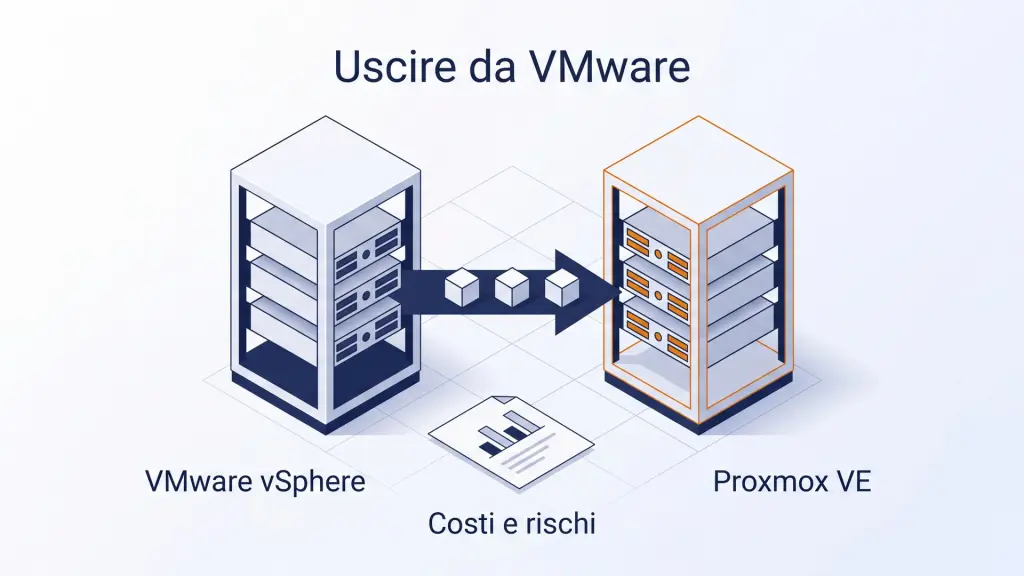
Alternatives to VMware ESXi include Proxmox Virtual Environment (Proxmox VE), Microsoft Hyper-V, Nutanix AHV and XCP-ng on the company's own servers, or a move of the virtual machines to a cloud IaaS: the two routes when a contract or support term is close to expiry. Among hypervisors the differences lie mostly in the licensing model and in lock-in, that is, how far the choice ties the company to a single vendor. The table shows, for each option and for the cloud, how it is paid and when to assess it.
| Alternative | What it is | How it is paid | When to assess it |
|---|---|---|---|
| Proxmox VE | Open source hypervisor based on KVM, managed through an integrated web interface | Free; the Enterprise repository and support need an annual subscription for each socket | Workloads without software certified only on vSphere |
| Microsoft Hyper-V | Microsoft hypervisor, included in Windows Server | Windows Server licence per core: Standard covers 2 Windows Server virtual machines, Datacenter an unlimited number | Mostly Windows servers, with Datacenter licences already bought |
| Nutanix AHV | Hypervisor of the Nutanix hyper-converged platform | Not bought separately: included in the Nutanix Cloud Infrastructure (NCI) licence | Servers due for replacement, with compute and storage from one vendor |
| XCP-ng | Open source hypervisor based on Xen, born from XenServer, managed with Xen Orchestra | Free; professional support is a Vates subscription | Environments already on XenServer |
| Cloud IaaS | Cloud service: virtual machines run on the provider's infrastructure | Fee or pay-per-use, with no servers to buy | Servers to retire without replacing them |
With Hyper-V and Nutanix AHV, software and support come from the same vendor under its own licensing model. Proxmox VE and XCP-ng are open source and run without a contract: support is bought separately and, for Proxmox VE, so is access to the Enterprise repository. A cloud IaaS avoids buying servers, but before deciding, the cost over several years, egress (outbound traffic charges), latency and the country where the data are hosted need checking.
When is Proxmox VE a good alternative to VMware?
Proxmox VE fits when the workloads are Linux and Windows virtual machines and none of them runs software certified only on vSphere. The functions in use must be the basic ones: clustering, high availability, live migration, backup, shared or hyper-converged storage. The Proxmox price list includes all of them at every subscription level.
Several situations favour an evaluation:
- the bundle being paid for is wider than the one in use: if only the hypervisor, HA and vMotion are in use, with a third-party backup, the comparison is direct;
- Linux skills exist in house, or a partner provides them: Proxmox VE 9.2 is based on Debian 13 and diagnosis runs from the shell;
- both virtual machines and containers are managed: KVM VMs and LXC containers share the same interface and the same backup system;
- data sovereignty or less lock-in matter: Proxmox VE is open source software from Proxmox Server Solutions GmbH, headquartered in Vienna, and the choice of servers to install it on stays with the company.
Recent releases added functions that matter in a Proxmox vs VMware comparison:
- automatic load balancing: the Dynamic Load Balancer, introduced with Proxmox VE 9.2 of 21 May 2026 (Proxmox press release), performs a task similar to DRS in VMware, but does not offer exactly the same options;
- import from ESXi through an integrated wizard, since version 8.2 of April 2024;
- virtual desktops: since 4 September 2026 Proxmox VE is certified Omnissa Horizon Ready in Manual Provisioning Mode, also with NVIDIA vGPU (certification press release).
When is Proxmox VE not the right choice?
A technical or contractual constraint can rule out Proxmox VE even when its licences would cost less. The situations in the table should be checked before asking for quotes: the first can be enough to exclude the migration, the others add costs or project work.
| Situation | Why it matters | What to check |
|---|---|---|
| Critical software certified only on vSphere | The migration loses the software vendor's support | The vendor's compatibility matrix |
| No Linux skills and no partner | The licence saving turns into operating cost and risk | The cost of training or of a support contract |
| Applications protected with vSphere Fault Tolerance | Proxmox VE HA restarts the VM, it does not keep it running | Whether the application tolerates a restart |
| Network built on NSX or VCF automation | Segmentation and routing are redesigned with the Proxmox VE SDN and firewall | A test on real traffic flows before committing |
| Disaster recovery orchestrated across two sites | Replication, backup and recovery procedures must be redesigned | The DR project as a cost item |
| Renewal just signed, or servers to be replaced soon | Two platforms are paid for, or the migration happens twice | Aligning the migration with the hardware renewal |
Software certification is the first check because it depends on the vendor, not on whoever carries out the migration. Some vendors of business applications, industrial systems or healthcare software support their software only on a closed list of hypervisors. That list should be requested from the vendor in writing before any cost calculation, and before a VMware migration is planned: if Proxmox VE is not on it, the application may still run, but the vendor's support is lost on exactly the most critical software.
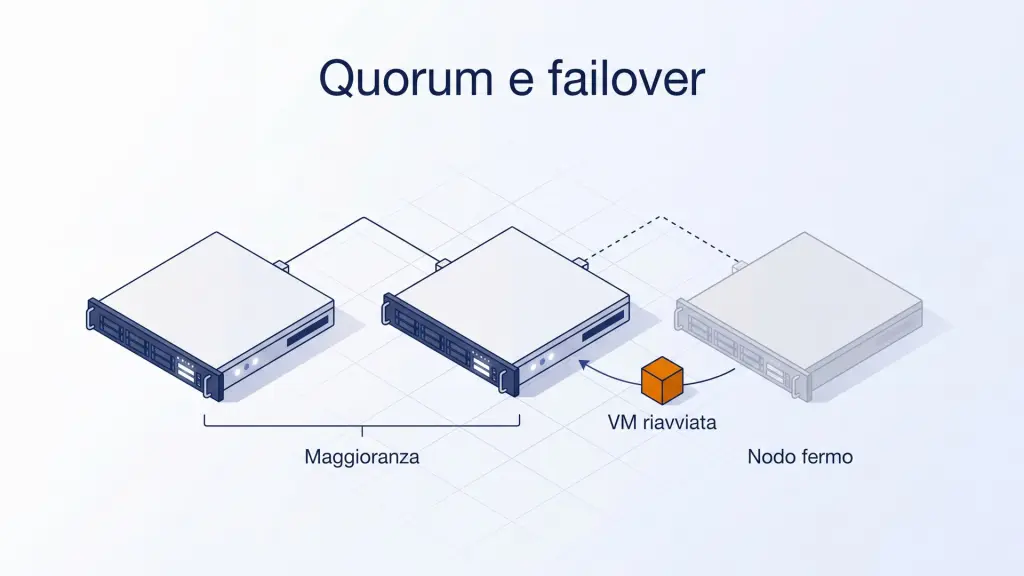
High availability and Fault Tolerance are not the same thing: HA restarts the virtual machine, while Fault Tolerance keeps it running on a second host. The Proxmox VE HA documentation indicates typical times of about two minutes to detect the failure and complete the failover, after which the VM restarts from scratch on another node. vSphere Fault Tolerance, described in the VMware documentation, instead keeps an identical second VM ready to take over. Where it is in use today, that requirement has to be covered another way, for example with redundancy at application level.
How does storage change when moving to Proxmox VE?
Proxmox VE offers three storage models: hyper-converged storage with Ceph, local ZFS with replication, or the SAN or NAS already in use, each with its own costs. How storage is paid for changes too: with vSAN the included capacity depends on the subscribed cores and anything above the quota is bought separately, as KB 313548 states. The Proxmox VE subscription price depends on the number of sockets, not on storage capacity, and Ceph and ZFS replication are part of the software.
| Model | How it works in Proxmox VE | What to consider |
|---|---|---|
| Hyper-converged with Ceph | The same nodes run the VMs and host the replicated storage | At least three servers; a dedicated Ceph network and disks on an HBA are recommended; memory for the Ceph services |
| Local ZFS with replication | Each node has its own disks, and replication copies volumes to another node at intervals | Data written after the last replication is at risk if a node fails |
| Existing SAN or NAS | Nodes reach shared storage through iSCSI, Fibre Channel or NFS | Compatibility of the current storage and available features, such as snapshots |
The Proxmox VE documentation on Ceph requires at least three servers, preferably identical. For Ceph traffic it recommends a dedicated network of at least 10 Gbps, and disks attached to an HBA rather than a RAID controller. If the current servers do not meet these recommendations, the cost of adapting them goes into the hardware item. Details are on the page about hyper-converged Proxmox (in Italian); the usable capacity the current disks would give with Ceph, with headroom for the loss of a node, can be estimated with the Ceph calculator.
ZFS replication does not need shared storage. As the replication documentation describes, volumes are copied to another node at intervals from one minute to one week. With HA active, a failure can cause the loss of data written after the last synchronisation, so each service has to be checked for whether it can tolerate that loss.
An existing SAN or NAS can be reused. The storage documentation provides for NFS or iSCSI shared storage; with iSCSI, Fibre Channel or SAS the LUN is divided with LVM into logical volumes used as virtual disks. With shared storage, live migration does not have to copy the disks. Features such as snapshots depend on the storage type: the same documentation summarises them in a table, useful for checking the ones in use today.
How do you compare VMware and Proxmox VE costs?
The two scenarios, renewing VMware or moving to Proxmox VE, are calculated on the same server estate, for the same services and over the same horizon. If any of the three changes, the results cannot be compared. Staying on VMware has a cost too, the renewal quote, and it is calculated with the same items as the other scenario. The calculation is set up like this:
- Compare the same items in both scenarios: either the full total cost of ownership (TCO), meaning licences, hardware, management and migration together, on both sides, or licences only on both sides, stating which choice was made.
- Start from the functions actually used, not those included in the licence: inventory the running workloads, the continuity requirements of each service and the active integrations.
- Use a horizon of several years: the one-off migration costs concentrate in the first year, three years is the minimum and five matches the server lifecycle better.
- Build the calendar backwards from the expiry of the VMware contract: analysis, migration and the period with both platforms running must finish before that date.
Which cost items should be compared?
For each item the table gives the amounts of both scenarios and the source of each.
| Item | VMware renewal | Move to Proxmox VE | Source |
|---|---|---|---|
| Licences | Subscription per core, minimum 16 per CPU | Subscription per occupied socket, same level on all nodes | VMware quote, Proxmox price list |
| Support | As per the Broadcom contract | Tickets to the vendor from the Basic level (three a year), and possibly a contract with a partner | Contracts, Proxmox price list |
| Storage | vSAN: quota included per core, extra capacity separate | Ceph and ZFS built in, no capacity metric in the subscription | KB 313548, project |
| Backup | Third-party product, if in use | Proxmox Backup Server, or the current product if it supports Proxmox VE | Price lists |
| Hardware | Current servers | Current servers, if compatible | Inventory |
| Migration | None | Analysis, import, tests, validation | Project quote |
| Training | None, if the team is already trained | Official courses or coaching | Training provider's catalogue |
| Two platforms in parallel | No period | VMware and Proxmox VE running together until validation | Project plan |
| Integrations | None | Monitoring, automation and backup to integrate with Proxmox VE | Inventory |
In the renewal quote, check total cores with the per-processor minimum applied, the components included, the vSAN capacity and the contract term: these are the items that make it comparable with the Proxmox VE scenario.
Sockets versus cores: a worked count
The two platforms use different licensing units. The example takes three hosts with two processors each, first with 12-core CPUs and then with 24-core ones. With the 16-core per-processor minimum from KB 313548 and the Proxmox price list of October 2026, the values are as follows.
| Estate | VMware cores | Proxmox VE sockets | Basic, per year (VAT excluded) | Standard, per year (VAT excluded) |
|---|---|---|---|---|
| 3 hosts, 2 CPUs of 12 cores | 96 (each CPU counts as 16) | 6 | € 2,220 | € 3,300 |
| 3 hosts, 2 CPUs of 24 cores | 144 | 6 | € 2,220 | € 3,300 |
The number of cores changes with the processor, the number of sockets does not. The VMware per-core price comes from the Broadcom or reseller quote and is reported as it is, with its date. Proxmox prices are net, VAT excluded.
The vendor also lists a Community subscription, from € 120 per socket (VAT excluded), for non-production use, and the repositories documentation advises against the no-subscription repository on production servers. The subscription level is the same on all nodes: whoever wants Standard on the two critical nodes pays for it on the third as well. Levels and rules are on the page about Proxmox subscriptions (in Italian).
How long does the switch take to pay for itself?
The switch pays for itself when the annual spending difference between the two scenarios, calculated once VMware is switched off, has covered the one-off costs. Dividing the one-off costs by that difference gives the number of years: this is the payback formula. The one-off costs are the migration project, training, the period with both platforms running, and the rework of integrations and procedures. The annual difference is the VMware subscription minus the Proxmox subscriptions, partner support and backup.
If the result exceeds the chosen horizon, the switch does not pay for itself within that period, and management should be told so plainly. If the annual difference is close to zero, the choice has to rest on arguments other than cost, such as data sovereignty and independence from the vendor. The result depends on the estate and on the quotes: the method does not presuppose a saving.
Which costs stay out of the quotes?
No quote covers the work that remains with the internal team, so it is estimated separately:
- the hours that sysadmins spend on inventory, tests and settling in, taken away from other tasks;
- the rewriting of procedures: runbooks, the disaster recovery plan and audit documentation written for VMware.
Internal time is better estimated after a pilot migration of two or three non-critical virtual machines. During the test the hours per machine are recorded, driver checks and fixes included; multiplied by the number of VMs to migrate, they give a more reliable estimate than a guess. The integrations to redo, that is monitoring, automation and backup, are already in the cost table; the time to redo them adds to that of the tests.
What does management need in order to decide?
The document for management compares like with like and reports, in this order:
- the current spend, item by item, and the expiry date of the contract;
- the expected spend with Proxmox VE, with the same items and the same assumptions;
- the cost of the switch and how many years it takes to pay for itself;
- the project risks and the planned countermeasures.
The assumptions come first: number of hosts and sockets, subscription level, what is included and what is not, and the date of the price lists and quotes used. Each risk gets its countermeasure alongside.
| Risk | Countermeasure |
|---|---|
| Software not supported after the switch | Written confirmation from the vendor before the project |
| Worse performance after import | VirtIO drivers and paravirtualised controllers, test on a pilot VM |
| Problems during the migration | Pilot VMs, rollback plan, VMware environment on standby until validation |
| Insufficient skills | Official training before go-live |
| Migration not finished before the expiry date | Analysis started early enough to leave time for migration and validation |
The technical phases of a VMware migration, from import methods to common problems, are described on the VMware to Proxmox migration page.
An example: three hosts and a renewal in eight months
The case is hypothetical: the IT manager of a manufacturing SME has three VMware hosts with two processors each, about fifty Windows and Linux virtual machines and a subscription renewal in eight months. One possible route:
- The IT manager asks the vendor of the production management software for its list of supported hypervisors and checks whether the company, or a partner, has Linux skills. The answer can be enough to exclude the migration.
- Inventories the functions in use. If the findings are high availability, vMotion and a third-party backup, but no Fault Tolerance, NSX or vSAN, a migration on the current servers can be evaluated.
- If the management software is certified only on vSphere, the IT manager also requests a VMware quote covering only the host that runs it, with the 16-core per-processor minimum from KB 313548. The rest of the estate falls into the Proxmox VE scenario.
- Lists the one-off costs: migration project, training for two sysadmins, the period with VMware and Proxmox VE running together, and the monitoring integrations to redo.
- For management, prepares three scenarios over five years (renewal as quoted, full migration, mixed route), with the assumptions up front and the risks with their countermeasures.
Which of the three scenarios to choose depends on the costs and on the constraints of the environment.
How Rackone supports the decision
Rackone is a Proxmox Gold Partner. For a migration from VMware, we design the Proxmox VE cluster: topology, storage, network segregation, high availability with fencing and failover policies, hardware and backup. We deliver the documented design before installation, so costs are estimated on a real sizing of the new cluster. More on Rackone's work with Proxmox is on the Proxmox services at Rackone page.
If the analysis shows that staying on VMware is the better choice, the costs and risks put in writing still help in negotiating the renewal. To start, we need the contract expiry date and the list of hosts and virtual machines; from there we prepare the cost estimate with you. Support is available in English or in Italian.
Frequently asked questions
Is Proxmox a good alternative to VMware?
Yes, Proxmox VE is a good VMware alternative when the workloads are Linux and Windows virtual machines, none runs software certified only on vSphere, and the functions in use are the basic ones: clustering, high availability, live migration, backup and shared or hyper-converged storage. Critical software certified only on vSphere can be enough to rule it out. Where vSphere Fault Tolerance is in use, or there are no Linux skills in house and no partner, the move adds costs and project work that need checking first.
What are the alternatives to VMware?
Alternatives to VMware ESXi include Proxmox VE, Microsoft Hyper-V, Nutanix AHV and XCP-ng, plus moving the virtual machines to a cloud IaaS. They differ mainly in licensing model and lock-in: Hyper-V and AHV come with the vendor's own licence, Proxmox VE and XCP-ng are open source with paid support, and a cloud IaaS replaces the servers with a fee or pay-per-use.
Is Proxmox VE free to use in production?
Proxmox VE is free, open source software, but for production the documentation advises against the no-subscription repository and recommends the Enterprise repository, which needs a subscription key. Proxmox prices the subscription per socket. In the October 2026 price list the entry level for production is Basic, at € 370 per socket per year, VAT excluded. Features are the same at every level: support is what changes.
Do VMware perpetual licences still work after support ends?
Yes, VMware software under a perpetual licence keeps working. As Broadcom KB 429208 states, when the SnS contract expires ESXi hosts, vCenter and virtual machines stay operational and the features of the edition remain active. Without SnS, however, patches and new versions can no longer be downloaded, support requests cannot be opened, and adding hosts or upgrading to a major version needs an active contract. Running without security patches is a risk to factor in.
Does Proxmox VE have an equivalent of VMware DRS?
Yes, since version 9.2 of 21 May 2026 Proxmox VE has a function comparable to VMware DRS: the Dynamic Load Balancer. According to the Proxmox press release, it decides where to place VMs from real-time resource use of nodes and VMs, and automatically migrates HA-managed resources within the HA rules set by the administrator, with adjustable sensitivity. The two functions do not match in every respect: before migrating, check which DRS rules are in use and whether the Dynamic Load Balancer covers them.
Is Proxmox VE suitable for virtual desktops (VDI)?
Yes, Proxmox VE can be used for VDI in the cases the certification covers: since 4 September 2026 it is certified in the Omnissa Horizon Ready Hypervisor programme in Manual Provisioning Mode, also with NVIDIA vGPU, as the Proxmox press release states. Before estimating migration costs, check the VDI configurations of the environment in the Omnissa Compatibility Guide.
How much does it cost to migrate from VMware to Proxmox VE?
The cost of migrating from VMware to Proxmox VE depends on the number of virtual machines, disks, networking and integrations. The ESXi import tool has been included since version 8.2, so the cost is that of the project: inventory, tests on pilot virtual machines, cutover windows, a period with both VMware and Proxmox VE running, and training. A quote needs the inventory of virtual machines, disks and integrations.
How many years should a VMware exit cost comparison cover?
A cost comparison for leaving VMware should cover at least three years, ideally five if they match the server lifecycle. One-off costs (migration, training, the period in which VMware stays running) concentrate in the first year, so a twelve-month calculation gives a misleading result. The calendar starts from the expiry date of the current VMware contract.
Sources
- Broadcom KB 313548, Counting Cores for VMware Cloud Foundation and vSphere Foundation and TiBs for vSAN, accessed on
- VMware Cloud Foundation Blog, VMware End Of Availability of Perpetual Licensing and SaaS Services (22 January 2024), accessed on
- Broadcom KB 429208, Perpetual License Functionality After Support and Subscription (SnS) Expiration, accessed on
- VMware Cloud Foundation Blog, Reminder: vSphere 7 to reach End of Service on Oct 2, 2025 (31 March 2025), accessed on
- Broadcom TechDocs, vSphere 9.0, How Fault Tolerance Works, accessed on
- Proxmox VE, subscription price list, accessed on
- Proxmox VE Administration Guide, Package Repositories, accessed on
- Proxmox VE Administration Guide, High Availability, accessed on
- Proxmox VE Administration Guide, Deploy Hyper-Converged Ceph Cluster, accessed on
- Proxmox VE Administration Guide, Storage Replication, accessed on
- Proxmox VE Administration Guide, Proxmox VE Storage, accessed on
- Proxmox, press release of 21 May 2026: Proxmox Virtual Environment 9.2, accessed on
- Proxmox, press release of 4 September 2026: Proxmox VE certified Omnissa Horizon Ready, accessed on
- Proxmox, press release of 24 April 2024: Proxmox Virtual Environment 8.2, accessed on
- Proxmox VE Roadmap, release notes 8.2 and 9.2, accessed on
- Microsoft, Windows Server 2025 pricing, edition comparison, accessed on
- Nutanix, AHV (licence FAQ), accessed on
- XCP-ng, project website, accessed on
- Vates, VMS bundle overview (support for XCP-ng and Xen Orchestra), accessed on
Written by Rackone